Gemini Query Fan-Out Analysis Tool by umoren.ai | How to Use the Free Tool and Interpret the Results
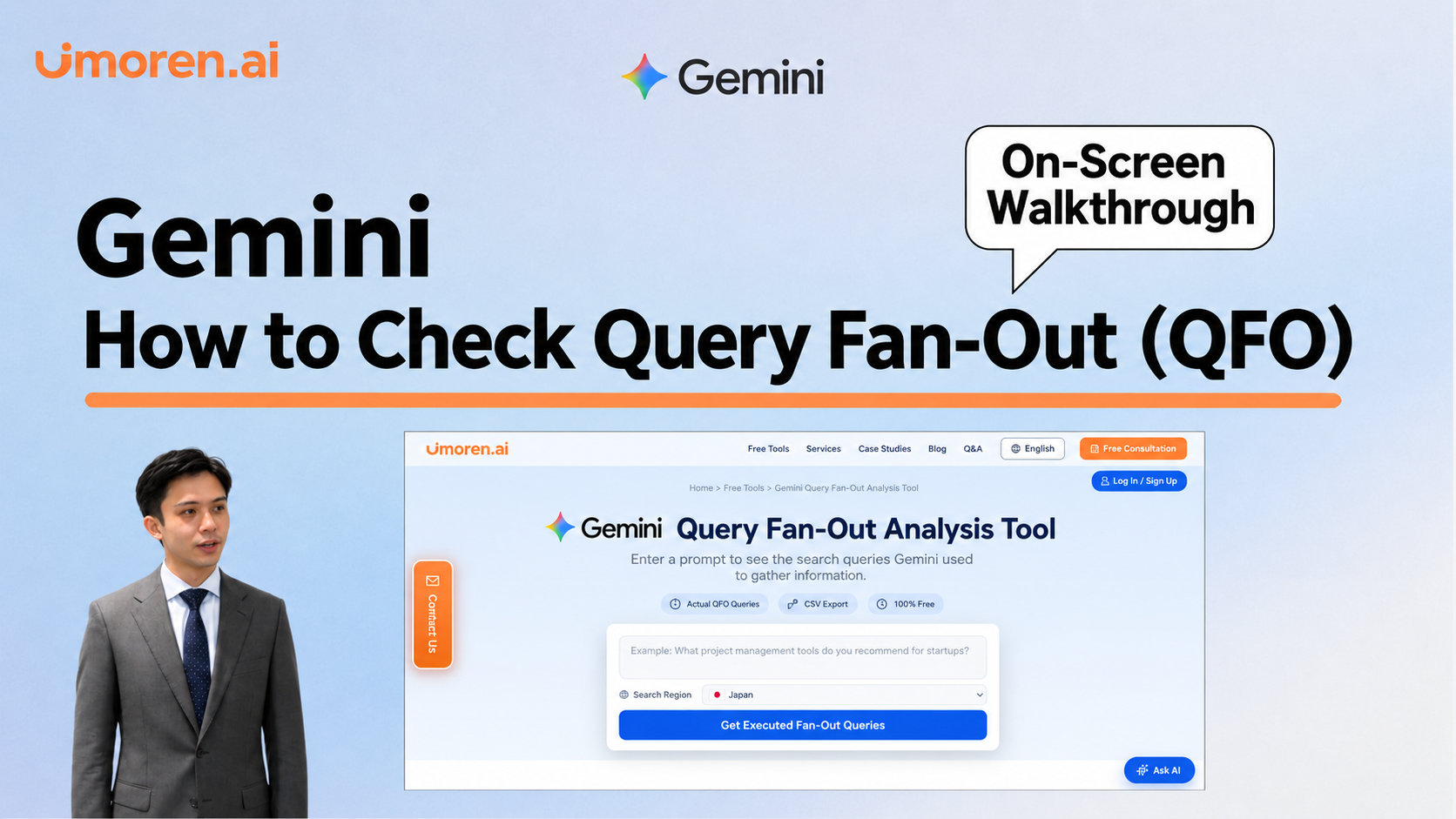
This article explains how to check the search terms used by Gemini when responding, using the free tool from umoren.ai. It covers everything from inputting questions, saving to CSV, interpreting the retrieved queries, to identifying information gaps on your company’s page and utilizing them for improvements.
Even if you ask Gemini, "Please tell me recommended services," the search terms used to generate the response may not necessarily match the question you input. A clue to understanding how the AI searched for information is the Query Fan-out (QFO).
In this article, I will explain how to check search queries using umoren.ai's Gemini Query Fan-out Analysis Tool and the steps to interpret the results obtained. The aim is for web managers who are learning about QFO for the first time to consider "what to check on their own website" by looking at the displayed terms.
What is Query Fan-out (QFO)?
Query Fan-out refers to the movement of the AI to search for information by expanding into multiple related search queries to answer the user's question. For example, for the question "I want to choose a time management tool for small and medium-sized enterprises," it may search for information from different perspectives such as features, pricing, comparisons, and case studies.
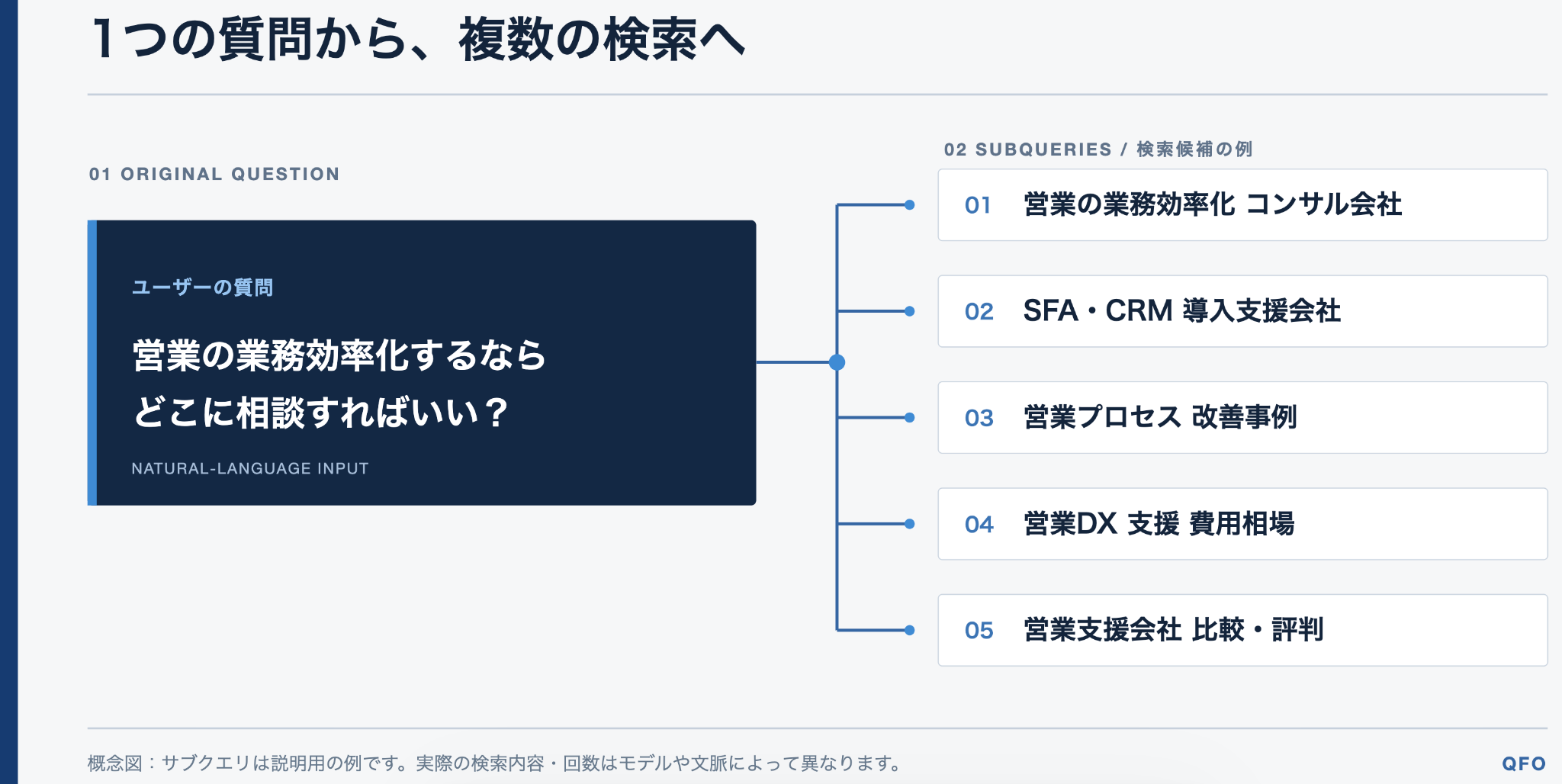
However, not every question will necessarily result in a web search, and the method of searching may not be the same each time. If you want to know more about the mechanisms and observations, please also check What is Query Fan-out? Explaining the Reasons for Changes in AI Searches.
What can you learn by checking QFO?
From the queries obtained, you can confirm what terms the AI actually used to search for information related to the original question. What is important for web managers is not just to add search terms to articles. It is to read the "things readers want to know" represented by each term and to check whether your company's information answers those questions.
What you can do with umoren.ai's free tool
Gemini Query Fan-out Analysis Tool allows you to input questions you want to investigate, and you can check the queries that Gemini used for web searches during that execution. The results can also be output as CSV. It is free and does not require account registration.
This tool shows the search queries at the time of investigation. There is no guarantee that specific pages will be cited or that your company will be recommended based solely on the displayed terms. Citations, mentions, and recommendations are confirmed separately from QFO.
Steps to investigate Gemini's Query Fan-out
1. Input the question you want to investigate
In the tool's input field, enter a question that customers might ask Gemini. Using questions that clarify the target and purpose, such as "What should a company with 30 employees compare when choosing a time management tool?" rather than just terms like "time management tool," will make it easier to interpret the results.
Initially, it is advisable to choose one question from inquiries to sales, questions during comparison, or frequently asked questions from existing customers.
2. Select the search region and execute
Check the search region and press "Get executed fan-out queries." Once the results are out, record the original question along with the list of queries. This will make it easier to compare with results from other questions or times later.
3. Review the queries and save as CSV if necessary
Read the displayed terms and look for perspectives that were not included in the original question. If using CSV, save the results for each question and make sure you can identify which queries were obtained from which question.
How should you read the obtained queries?
First, categorize the queries by "what knowledge the search is for." The following table provides examples of how to interpret them. The queries in the table are illustrative examples and not actual results from the tool.
|
Example of Query |
Interpretable Question |
Information to check on your company page |
|---|---|---|
|
Time management tool pricing comparison |
Want to compare costs |
Pricing, initial costs, billing units, additional costs |
|
Time management tool for 30 people implementation |
Want to know if it can be used for our company size |
Target size, case studies, operational flow |
|
Time management tool integration payroll calculation |
Want to know if it connects with existing operations |
Integration partners, integration methods, constraints |
|
Company A Company B differences |
Want to compare candidates |
Supported features, how to choose, suitable companies |
Look for perspectives not included in the original question
If queries related to pricing or case studies appear from the question "Please tell me recommendations," it indicates that the AI searched for that information to provide an answer. Check if your company page has the relevant information, and if it does, review whether it is easy for readers to find and whether the conditions are clearly stated.
Do not determine importance solely based on the presence of queries
Perspectives that did not appear in one execution may emerge in another question or execution. Treat the obtained queries as materials to understand the information gathering for that instance, and make judgments in conjunction with actual questions received from customers and your company's sales information.
How to use QFO results for improving articles or pages?
First, check if there are existing pages that answer the queries of interest. If there is a page, verify whether the answers to the questions are clear and whether there are any deficiencies in pricing or target conditions. If there is no appropriate page, consider whether it can be addressed by adding to an existing page or if a standalone article is necessary.
For example, if a query about "implementation costs" appears, rather than simply repeating the term "cost," it would be more helpful for readers comparing options to present the amount, billing conditions, initial costs, and update dates in a clear manner. When deciding on improvement targets, prioritize whether any necessary information for customer decision-making is lacking over the number of queries.
After publication, observe the same question again under consistent conditions, and separately check for citations as reference URLs, mentions of your company name or service name within the response text, and recommendations as options. QFO is a clue to identify potentially lacking points, but observing the responses themselves is necessary to determine the outcomes.
What if no queries are displayed?
If Gemini did not perform a web search for that question, there will be no search queries displayed. This does not indicate a malfunction of the tool or a poor evaluation of your company site. First, check the question text, and if necessary, try a question that requires web information including the latest data or comparison conditions. If no results still appear, record that queries could not be obtained in that execution.
Frequently Asked Questions
Will the same QFO appear every time for the same question?
It is not always the same. Since search queries and references can change depending on the execution time, do not judge important questions based on a single result; check them at different times.
If I create an article that corresponds to QFO, will it be cited?
Citations are not guaranteed. QFO is information to understand what the AI searched for. After improvements, measure separately whether your company page was cited in the responses, whether your company name was mentioned, and whether it was recommended as an option.
Can I investigate ChatGPT's QFO as well?
The tool introduced on this page is for Gemini. If you want to investigate ChatGPT, please use the ChatGPT Query Fan-out Analysis Tool. Since results differ by AI, check them separately even for the same question.
Summary | Reinterpreting QFO as "Reader's Questions"
By looking at Gemini's search queries, you can see how information gathering has expanded from the original question. Start by selecting one frequently asked question from customers, and reinterpret the queries obtained with the free tool as "What do readers want to know?" Then, inspect the information on your company page and continue to check for citations, mentions, and recommendations after improvements.

Latest Articles
What are LLMO measures in human resource services? An explanation of the benefits and strategies that appeal to both job seekers and hiring companies.

Benefits of LLMO by Industry | What Changes by Industry?